Ted Kriwiel
Co-Founder
Ted helps nonprofits build an impact flywheel. He writes about software strategy and the tools that power mission-driven organizations.
← Back to all courses
 Attio
Attio  Resend
  1Password
  Claude Ted Kriwiel
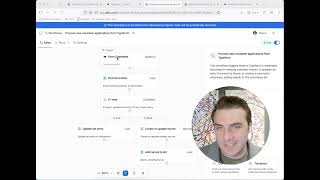
Orchestrating Workflows with AI: Syncing Resend with Attio
advanced | 4 minutes
Ted Kriwiel Learn how to use Claude as an orchestration layer to keep your Resend newsletter subscribers in sync with your Attio CRM.
Chapters
The Problem: Too Many Tools
- 0:00 — Why managing 15-30 tools is overwhelming
- 0:27 — AI as a new abstraction layer for orchestrating work
Setting Up the Sync
- 0:33 — Introducing Attio (CRM) and Resend (newsletter)
- 0:51 — Prompting Claude to sync Resend subscribers with Attio
Running the Skill
- 1:07 — Launching the sync skill in Claude
- 1:21 — API keys stored in 1Password
- 1:41 — Comparing lists: 244 in Resend, 236 in Attio
Adding Subscribers with Upsert
- 1:51 — 12 to add, 4 to remove
- 1:58 — What upsert means: update existing, insert new
- 2:13 — Why upsert prevents duplicate contacts
Removing Unsubscribes Safely
- 2:35 — Removing 4 unsubscribed contacts from the list
- 2:42 — Removing from list vs. deleting from CRM
- 2:49 — Built-in approval step before any deletions
Verification
- 2:54 — Side-by-side comparison to confirm the sync
- 3:10 — Why counts may differ (people with multiple emails)
What Else You Can Orchestrate
- 3:31 — Building skills with API keys as infrastructure
- 3:44 — Publishing newsletters, updating your website from one chat box